
Wind, together.
Surface wind speed, gusts, and direction in one tile. Choose mph, m/s, or knots.
DRONE FLIGHT WEATHER
Weather, airspace, and your personal limits in one easy-to-read view.
Open to everyone. No sign-in required.
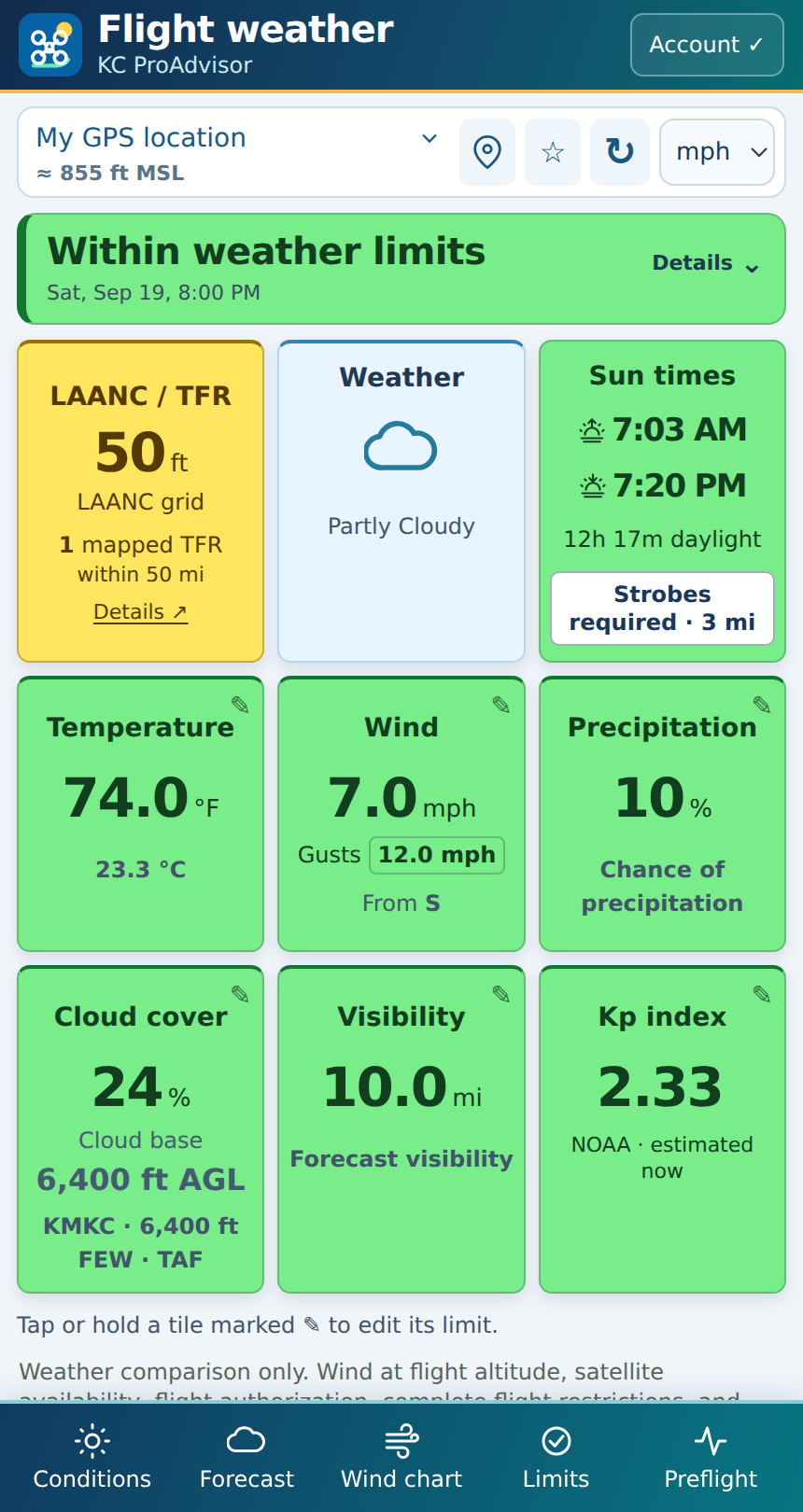
ONE LOOK. YOUR LIMITS.
Set your own thresholds. The tiles change as the weather approaches them.
Gray means a reading isn’t confirmed. Blue is information only.
BUILT AROUND YOUR FLIGHT
Check your current location, search another place, or return to a saved favorite.
Surface wind speed, gusts, and direction in one tile. Choose mph, m/s, or knots.
Sunrise, sunset, and daylight hours, plus a flashing strobe reminder after sunset.
Cloud cover, airport-reported cloud base, visibility, and ground elevation at your location.
Your location’s LAANC grid and mapped nearby TFRs, with details and map links a tap away.
Choose a forecast date and hour. Compare wind and gusts on the chart using your saved limits.
Tap or hold a tile to change its limits. An optional account saves limits and favorites across devices.
Also in the app: temperature, rain chance, Kp index, nearby weather observations, alerts, radar links, and preflight reminders.
GET STARTED IN MINUTES
The short walkthrough covers the weather tiles, personal limits, airspace, forecasts, and saving your preferences.
Allow location access, or search by city, zip code, or coordinates.
Tap or hold a pencil-marked tile, update the value, and save.
Select a date and hour to compare conditions for your flight.
KEEP IT WITH YOU
On iPhone, open the weather app in Safari, tap Share, then Add to Home Screen. Use the app’s circular arrow to refresh.
SPONSOR UASWX
Interested in a sponsor placement for your drone business, training program, or aviation service? Get in touch to discuss a logo and link on UASWX.
Jim Kerns · KC ProAdvisor
jim@kcproadvisor.com